 English
BusMagus in Your Pocket: What Our Android and iOS Apps Do for Every Kind of User
BusMagus has always lived in the browser, and it still does. But a lot of the people who use it spend their day on their feet, at a bus station, behind a counter or at the wheel, and for them a phone is the natural tool. So we made BusMagus an app, free on Google Play for Android and on the App Store for iPhone and iPad. It is the same account, the same operators and the same prices you know from the website, speaking many languages, and it does a different job for each kind of person who uses it. Here is what you get depending on who you are.
If you are a passenger
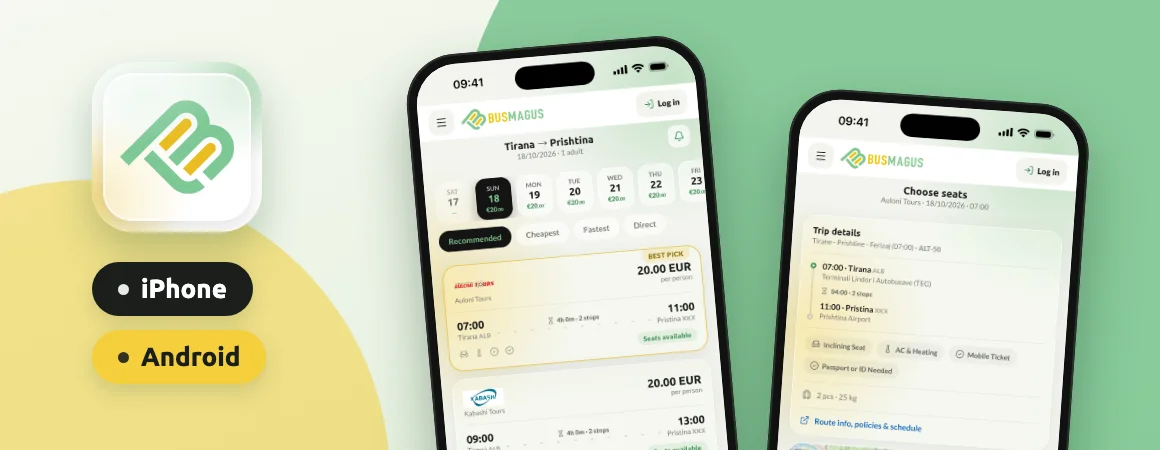
Searching is the heart of it. Pick where you are leaving from and where you are going, and you see every departure for the day on one screen, which you can sort by what we recommend, by the lowest price, by the fastest journey or by direct coaches only. A strip along the top shows the price for the whole week, so you can move your trip a day and save without starting over. Open any departure and you see what you would want to know before paying: the operator, the stations at both ends, the stops on the way, the travel time, how much luggage you can bring, whether there is wifi, air conditioning or a power socket, and the route drawn on a map. Booking takes a few taps, you can check out as a guest without making an account, and your card details are typed on the payment provider's own page, never in ours.
After you pay, the app keeps looking after you. All your bookings sit in one place with a countdown to departure, a button that adds the trip to your calendar, and the QR code you show when you board. A copy of your ticket stays on the phone for the moment the signal at the station is poor. Where the operator allows it you can add Flexible Ticket at checkout to move or cancel later, and if you are watching a route for a better fare, follow it and the app tells you when the price drops. You also get a reminder before you travel and a message if a departure changes, and you can sign in with your face or fingerprint instead of typing a password. When the trip is over, the app asks you to rate it, which helps the operator keep doing what you liked.
If you are a travel agent
Agents sign up on our website, once, and from the day your account is approved the app turns into a sales desk you can carry with you. You can search and sell tickets to your customers wherever you happen to be, paying from your account balance, and see your sales on a dashboard the moment you open it. You can add and manage your own subagents, follow every movement in your transaction ledger, read your sales reports, download your invoices and sign documents with us electronically without printing anything. If you take part in our affiliate programme, it is there too. For group bookings you can upload a spreadsheet of passengers instead of typing them one by one, and every day the app sends you a short summary of what you sold. It is the whole agent panel, made for a thumb.
If you run a bus company
Operators and their employees get the tools that matter on the day of travel. You can sell seats at the counter or on the platform, see how full each departure is, and print the passenger list as a PDF for the driver or for border control. You can check passengers in by tapping their name or by scanning the QR code on their ticket, reply to the reviews your customers leave, and, if you are the operator rather than an employee, read your company's numbers and send a message to everyone booked on a particular trip, for example to say that the coach is ten minutes late. Setting up routes and prices stays on the website, where the bigger screen helps.
If you drive the coach
Drivers have the simplest tool, which is exactly how it should be. Your account is created by your company, and once you sign in you see the routes you are driving today. Open one and you have the passenger list, and as people step on board you check them in with a tap or by scanning the QR code on their phone. Terminals are not famous for good reception, so if the connection drops the app remembers your check ins and sends them as soon as the signal returns, and if the company changes the list after you have started boarding, you get a notification so you are never working from an old copy.
Getting the apps
Look for BusMagus: Bus Tickets in Google Play or the App Store, or use the buttons on our website, and sign in with the same account you already have. If you do not have one, you can still search and book as a guest. Updates arrive on their own, and if you ever get stuck, the Help Center is inside the app. We will keep adding to it, and we would love to hear what you would like to see next, so write to us from the contact page.