
 Italiano
How to book a ticket, step by step
Booking takes a few minutes and you do not need an account. The same steps apply in the BusMagus app - see Booking a ticket in the app, step by step.
1. Search
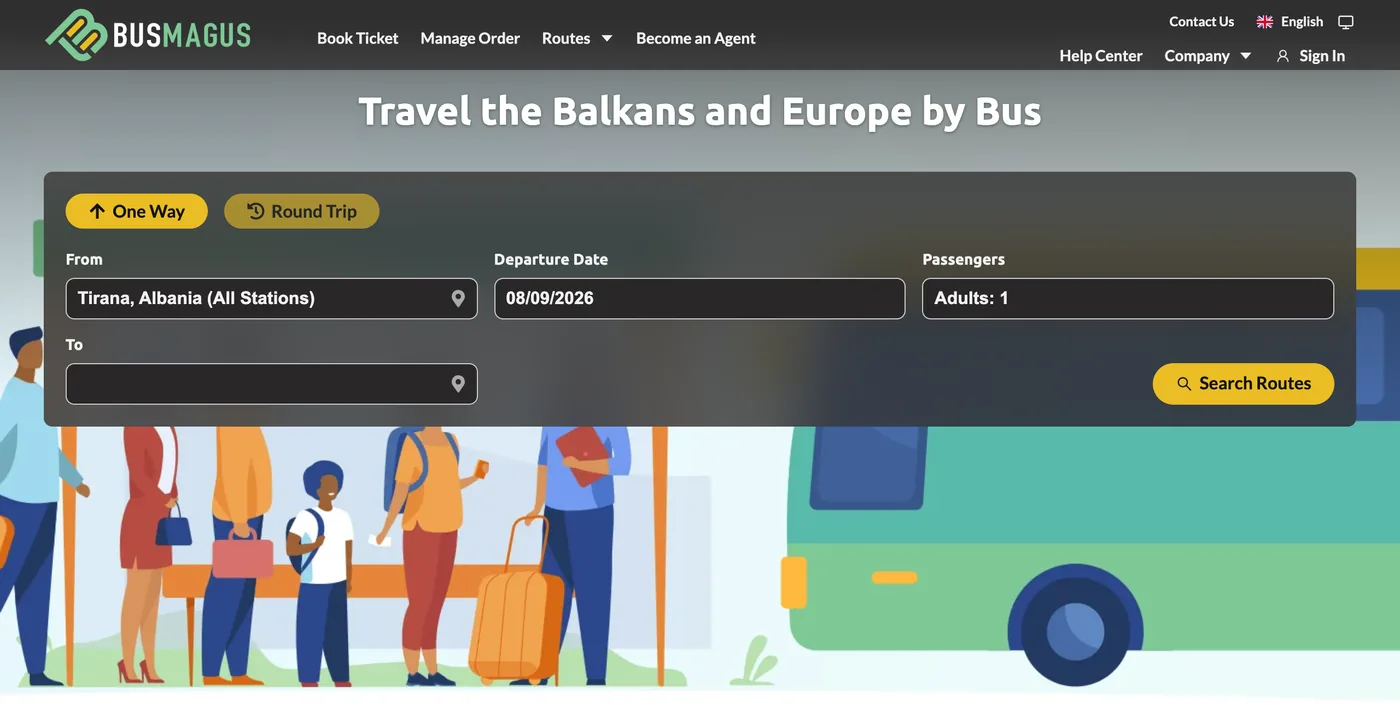
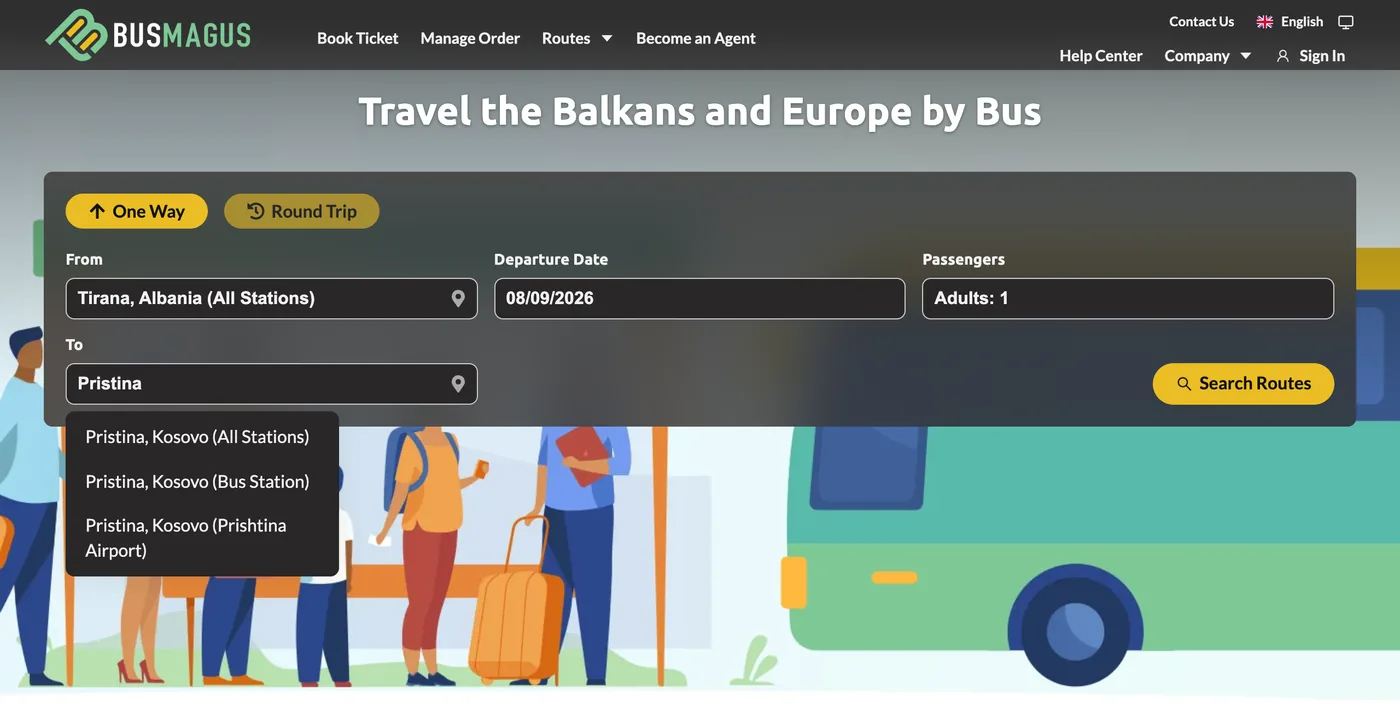
On the homepage, choose One Way or Round Trip, type your departure and destination cities, pick the travel date and the number of passengers, then press Search Routes. Start typing a city name and pick it from the suggestions - All Stations covers every stop in that city.
2. Choose your trip
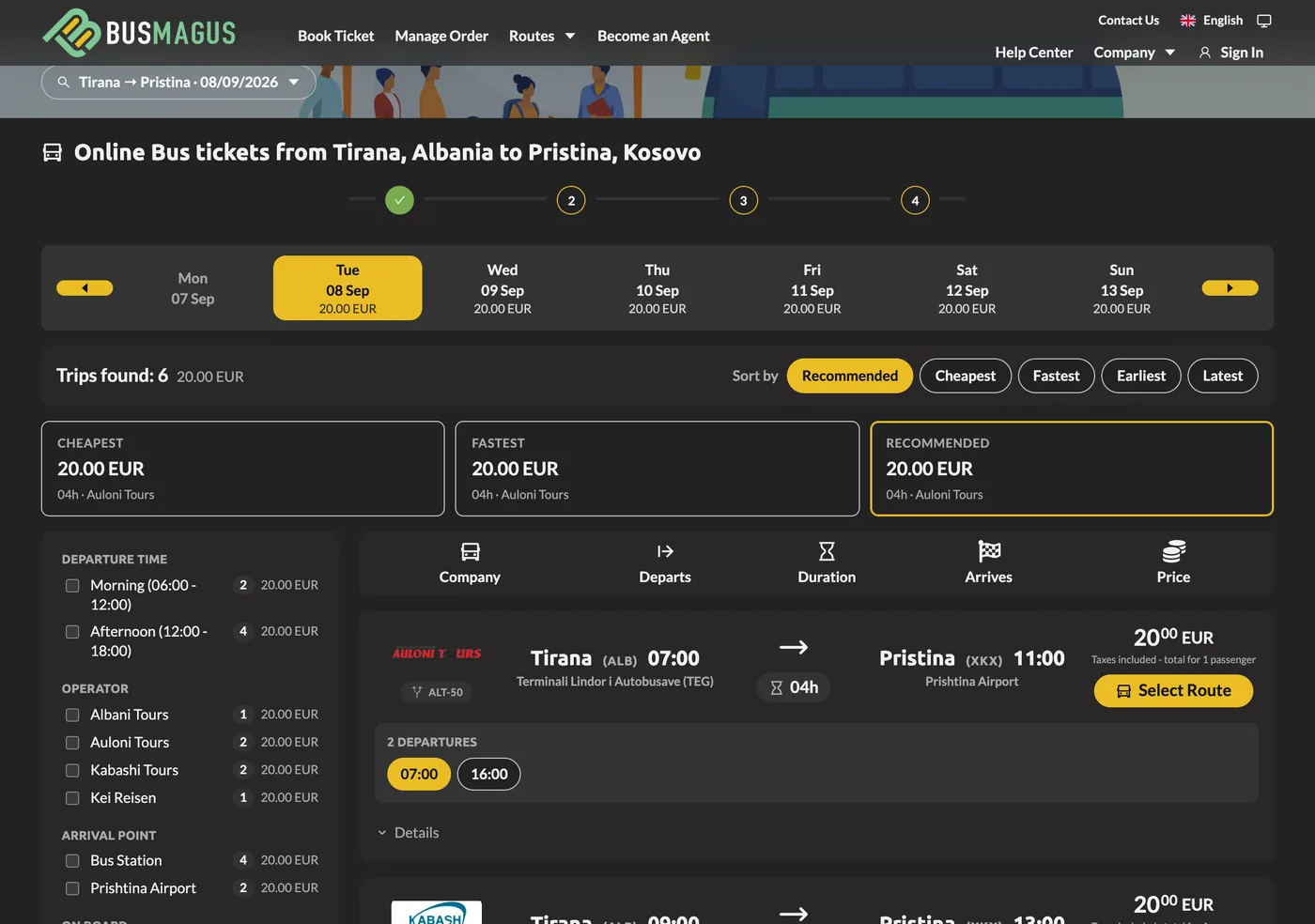
The results list every departure for that day, with the operator, departure and arrival times, journey length and price. The strip above the list shows prices on the surrounding days, and you can sort by Recommended, Cheapest or Fastest and filter by departure time, operator and amenities. Press Select Route on the trip you want.
3. Passenger details
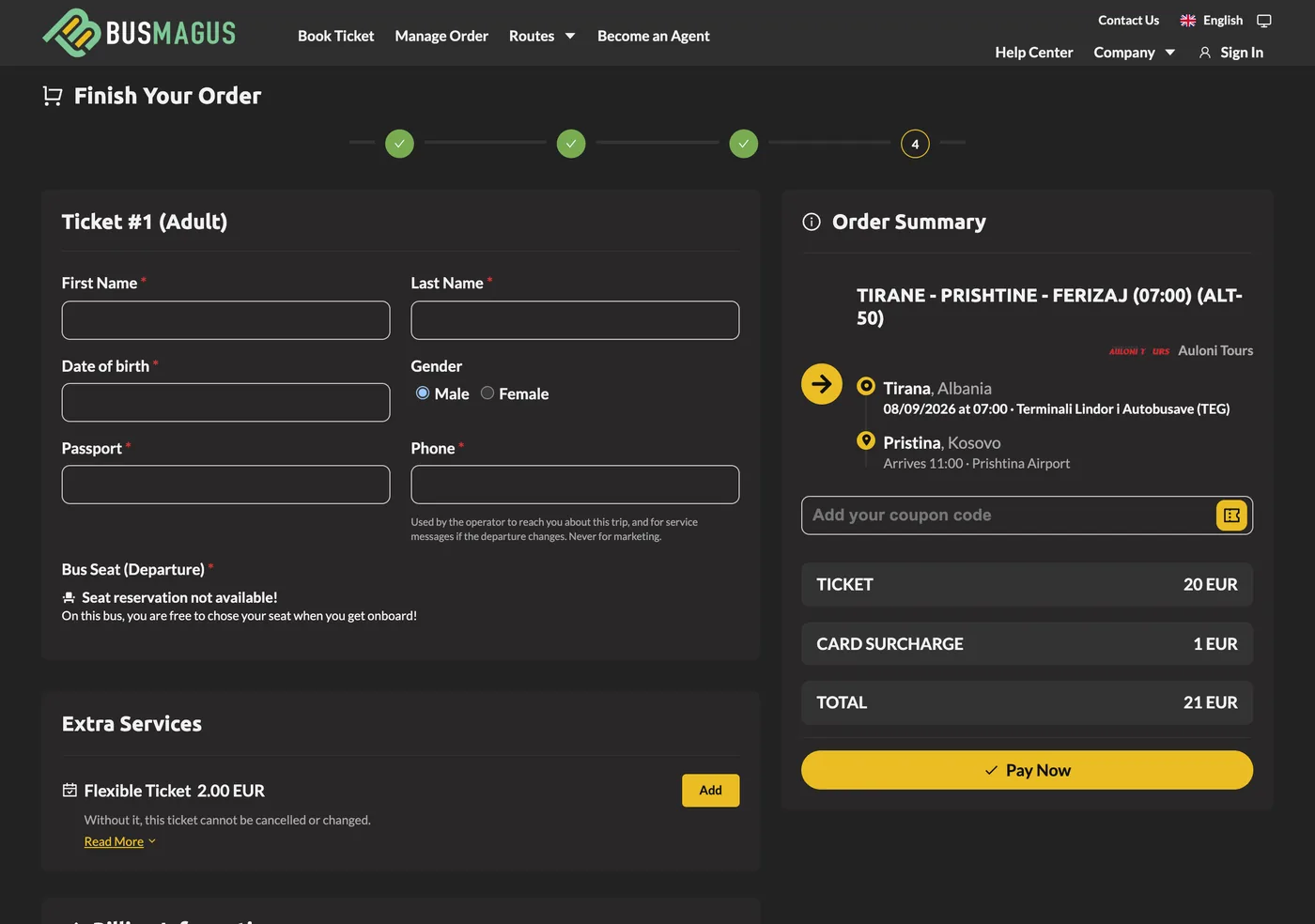
Enter each traveller's first and last name, date of birth, gender, passport or ID number and a phone number, exactly as on the travel document they will carry. On routes with seat selection you can Choose Seat on the bus plan here for a small fee, or leave it automatic; on free-seating routes the form tells you so.
4. Extras and payment
Under Extra Services you can add the Flexible Ticket if you want to be able to cancel or reschedule. Enter a coupon code if you have one, fill in the billing details, accept the terms and press Pay Now. The order summary on the right always shows the full amount, including any card processing surcharge, before you pay.
5. Your ticket
The moment the payment is confirmed, the e-ticket is emailed to you with a link to your order page, where you can download the PDF and show the QR code at boarding.